
A School-to-Home Folder System Young Children Can Actually Follow
Choose the simplest format for the classroom's communication load, separate KEEP and RETURN papers, teach each handoff and give families direct instructions.
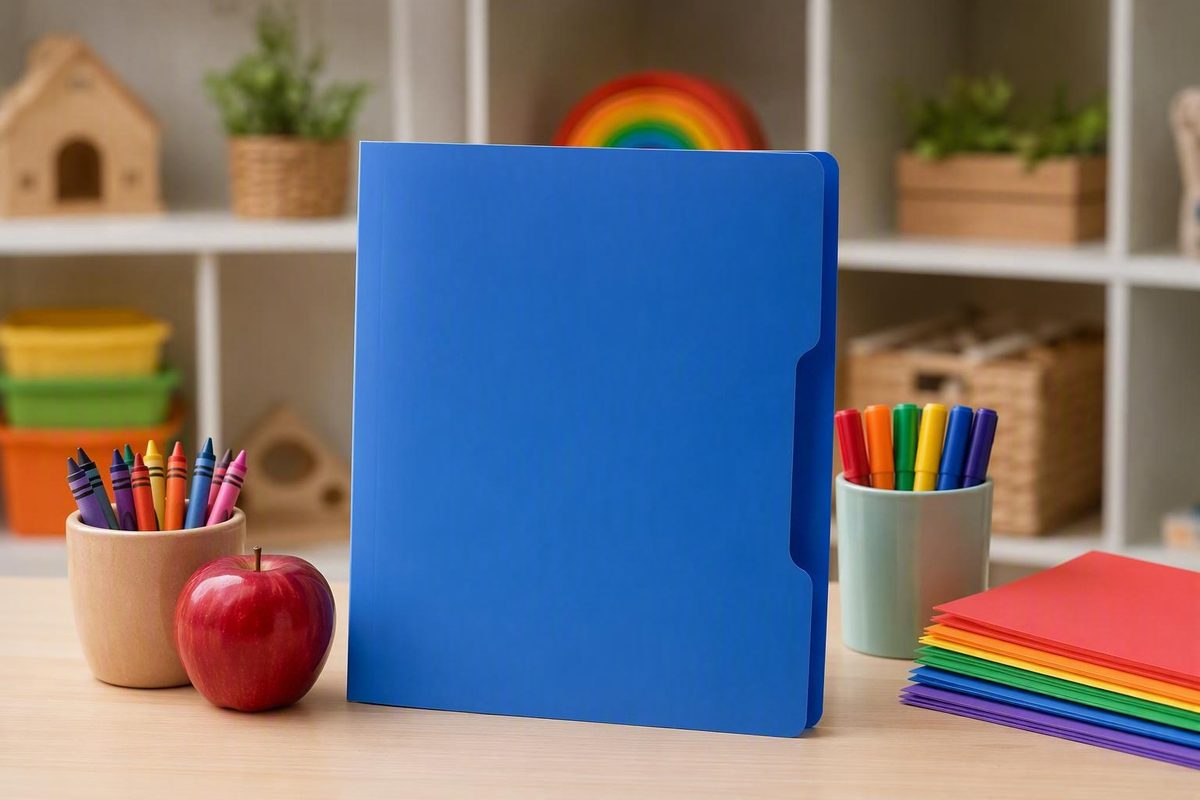
A take home folder looks like a school supply, but its usefulness comes from the routine built around it. A folder can separate papers, protect them during travel, and show families what needs attention. It cannot tell a child where to put it, ensure that an adult checks it, or make an unclear schedule work.
For preschool, pre-K, kindergarten, and early-elementary classrooms, the strongest starting point is usually the simplest format that meets the classroom’s actual communication needs. That might be a two-pocket folder labeled KEEP AT HOME and RETURN TO SCHOOL. It might be a fastener folder with a calendar and a school-approved mail section. In a classroom with more permanent reference materials, it might be a binder.
The right format depends on what travels, how often it travels, and how much support each child needs. The goal is not to find a universally perfect folder. It is to create a predictable school-to-home handoff that students, staff members, and families can understand and repeat.
The guidance below distinguishes among government implementation guidance, practitioner examples, forum anecdotes, and seller-supplied product information. Practitioner and retail sources can illustrate possible setups, but they do not establish that one format or schedule produces better educational outcomes.
What a take-home folder is—and what it is not
A take-home folder is a portable system for carrying papers and messages between school and home. It gives outgoing materials a consistent place and, when designed for two-way use, provides a route for forms, work, and family correspondence to return to school.
The terms take-home folder, communication folder, and homework folder often overlap. Depending on the classroom, the folder may carry:
- School announcements and event information
- Classroom newsletters
- Menus and calendars
- Completed classroom work
- Unfinished work
- Homework directions or assignment sheets
- Forms requiring signatures or information
- Reading logs
- Reminders
- Personalized teacher or family notes
The name matters less than the directions attached to it. A “homework folder” may contain only assignments, or it may also carry school notices. A “communication folder” may travel without homework. Families should not have to infer its purpose from the title.
A Friday Folder is generally a weekly version of the same idea rather than a fundamentally different product. Some teachers use one folder for daily homework and notes and a separate Friday Folder for graded work, announcements, and forms. Other classrooms send their only take-home folder on a designated weekday. In an older teacher-forum discussion, individual participants described Friday routines in which families reviewed the contents and returned the empty folder after the weekend; these are anecdotal local examples, not universal rules (teacher forum examples of take-home systems).
Most importantly, distinguish the physical folder from the communication routine.
The physical object can:
- Keep papers together
- Separate papers by destination
- Display short directions
- Hold fixed inserts
- Make the school-to-home channel recognizable
The routine must define:
- When the folder travels
- Where students place it upon arrival
- Who checks incoming materials
- Which papers families remove
- Which papers must return
- Where family correspondence belongs
- When the folder is due back
- What happens when it is missing or damaged
A neatly labeled folder does not independently improve achievement, responsibility, family engagement, or classroom management. It is simply one tool for making a handoff more visible and organized.
Choose a format based on the job it needs to do
Do not begin by asking, “Which folder is best?” Begin with, “What must this container carry, separate, and protect?”
Use this decision matrix to narrow the options.
| Format | Best suited to | Advantages | Tradeoffs |
|---|---|---|---|
| Basic two-pocket folder | Papers that either stay home or return to school | Few steps, easy-to-scan layout, light to carry | Limited capacity; loose or small items may escape |
| Two-pocket folder with fasteners | Papers plus fixed calendars, logs, page protectors, or reference sheets | Keeps recurring inserts in a consistent order | Fasteners add handling steps |
| Folder with clear exterior sleeves | Replaceable artwork, classroom identification, or general information | Exterior content can be changed without relabeling the folder | Anything displayed remains visible while the folder is carried |
| Tri-fold or three-pocket folder | Three clearly defined paper categories | Adds a section without requiring a binder | More folds and labels can complicate scanning |
| Envelope or closure pouch | Small items or papers needing better containment | A closure may help prevent contents from slipping out | Opening and closing may require more motor control or adult help |
| Binder | Multiple inserts, page protectors, a pocket folder, and possibly a zippered pouch | Greater capacity and flexible organization | Bulkier, more components, potentially more expensive, and rings can open |
| Portfolio or gusseted envelope | A thicker stack or irregularly shaped work | More room than a flat pocket | Easy to overload; may need inserts to separate keep and return papers |
A two-pocket folder is the simplest starting point when the main job is directional sorting: one side goes home to stay, and one side comes back to school. That limited choice may be especially practical for pre-readers or classrooms in which several adults support arrival and dismissal.
A fastener folder makes sense when particular pages should remain in the system for a month or longer. Fasteners can hold a calendar, reading log, communication form, reference sheet, or page protector. They also add steps. If adults will replace inserts or operate the fasteners, make that part of the stated procedure rather than assuming children will manage it independently.
Clear exterior sleeves can hold replaceable artwork, a classroom label, or general school information. Commercial take-home folders are available with full-size clear front and back pockets, showing how the cover can function as a changeable display area (example of a clear-sleeve take-home folder). Before placing identifying or student-specific information on an exterior surface, follow the school or program’s applicable display and privacy procedures.
Envelopes and closure pouches may contain small materials more reliably than an open pocket. A closure alone does not establish that a particular item is appropriate to send with a child. The item, adult handling process, and applicable school procedure should determine how it travels.
A binder can hold page protectors, a calendar, reference pages, a pocket folder, and a zippered pouch. That flexibility is useful when the system genuinely requires several permanent components. In one named kindergarten teacher’s account, Deedee Wills preferred binders for their capacity, while a commenter described binder rings opening when dropped. These are individual experiences rather than evidence that binders outperform folders generally (teacher account of a take-home binder system).
When comparing products, use functional criteria rather than promotional language:
- Can it hold standard letter-size paper without folding?
- Are the pockets deep or secure enough for the expected load?
- Can the child open, close, and carry it with the support available?
- Are the labels easy to see?
- Will it fit in the backpacks and cubbies students actually use?
- Does it contain unnecessary parts that complicate the routine?
- Are fasteners, sleeves, or closures needed for a defined purpose?
- Can staff inspect and maintain it under classroom procedures?
- Is the format suitable for the individual child’s motor, visual, sensory, and organizational needs?
Retail catalogs list two-pocket folders, tri-fold folders, envelopes, binders, and portfolios, but the availability of multiple formats does not show that any one is educationally superior (examples of commercially available preschool folder formats). Treat durability, water resistance, tear resistance, sanitizability, and capacity statements as seller-supplied unless independent testing is available. Prices, ratings, stock, discounts, and shipping terms can also change and should not determine a long-term classroom procedure.
Set up the pockets: KEEP, RETURN, and optional MAIL
The easiest setup gives every paper a direction.
For a basic two-pocket folder, use:
- KEEP AT HOME — “Remove these papers and keep them.”
- RETURN TO SCHOOL — “Sign, complete, or review these papers and send them back.”
Keep each label short enough to recognize at a glance. Add one plain-language sentence underneath it so adults do not have to guess what “KEEP” or “RETURN” means.
If the classroom uses work-based vocabulary, an alternative is:
- EMPTY — Papers the family removes
- WORK — Unfinished classroom work or assignments that come back
“EMPTY” is easy to demonstrate physically: open the folder, point to the pocket, and remove everything from that section. “WORK” may fit a classroom that regularly sends unfinished work or homework. Its disadvantage is that a signed form is not obviously “work,” so staff must define the label broadly or use RETURN instead.
A typical two-part arrangement looks like this:
| Section | Representative contents |
|---|---|
| KEEP or EMPTY | Newsletters, menus, flyers, completed classroom work, general announcements, and copies intended for family reference |
| RETURN or WORK | Forms requiring signatures, unfinished work, assignments, requested information, completed reading logs, and other action items |
Instructions on the individual document take priority. A paper that looks informational may still require a signature, while a family may need to retain a copy of a form that also requires action.
For a more complex system, add a third controlled section:
- KEEP or EMPTY
- RETURN or WORK
The MAIL area can be a designated pouch, envelope, or pocket managed under school procedures. It can hold parent-teacher notes, signed papers, or other items that should not mix with ordinary classroom work.
Her version placed a calendar and reading log behind a transparent mail pocket and used picture-supported labels for beginning readers (documented kindergarten daily-folder setup). This is a useful configuration example, not a requirement for every classroom.
Do not assume that an ordinary open pocket is appropriate for every item. Decide how the mail section will be used only after checking the school’s procedures for the materials expected to travel in it.
When fasteners are available, fixed inserts can sit behind the mail section:
- Front: designated MAIL pocket
- Immediately behind it: hole-punched monthly calendar
- Reverse side or next page: reading log
- Following pages: current, approved reference materials
This arrangement keeps frequently used pages in a known location and distinguishes them from papers families should remove. Avoid filling the fasteners merely because space is available. Every permanent insert should have a current purpose.
Example layout for an article diagram: Picture an open folder viewed from above. The left interior pocket is green and labeled KEEP AT HOME, with a house icon and the sentence “Remove these papers.” The right pocket is blue and labeled RETURN TO SCHOOL, with a school icon and the sentence “Sign or complete these papers and send them back.” In the center, attached to the fasteners, is a small closure pouch labeled MAIL, followed by a hole-punched calendar. Arrows point left toward a house, right toward a school, and upward from the mail pouch toward an adult handoff.
Before producing labels for the full class, ask someone unfamiliar with the system three questions:
- Which papers do you remove?
- Which papers come back?
- Where would you put a note for the teacher?
If the answers are not immediate, revise the wording or layout.
Decide whether the folder travels daily, weekly, or as needed
A take-home folder can travel every day, once a week, on another set day, or only when something needs to be sent. The available evidence does not establish one schedule as best for every classroom.
| Schedule | Works well when | Main burden or risk |
|---|---|---|
| Daily | Notices are frequent, unfinished work travels regularly, or ongoing correspondence is needed | Requires daily collection, checking, packing, home review, and return |
| Weekly or Friday | The classroom can consolidate completed work, announcements, and forms | Less timely for items that arise after the scheduled handoff |
| As needed | The folder is mainly an occasional communication channel | An irregular schedule can be forgotten without a clear cue |
A daily model supports frequent exchanges. It can accommodate ongoing correspondence, regular assignments, and notices that should not wait several days. The procedural cost is substantial: students must unpack and repack the folder, staff must check it, and families must know that daily review is expected.
A weekly or Friday model collects materials into one predictable handoff. Completed work, announcements, newsletters, and forms can be assembled together. This may reduce daily packing, but it can also delay information. If a form is due before the next folder day, it needs another approved delivery route.
An as-needed model may fit a classroom with little paper traffic or a folder used mainly for occasional communication. Because the folder does not appear on a predictable daily or weekly schedule, pair it with an obvious cue such as a posted symbol, backpack tag, approved message, or consistent verbal reminder.
Texas SPED Support presents daily, weekly, set-day, and as-needed schedules as possible implementations. Its guidance also recommends a designated return location, monitoring, and visual or physical supports for students who need them (Texas SPED Support take-home folder guidance). The guidance presents frequency as a design decision rather than a measure of family or staff commitment.
Choose the schedule by considering:
- How much paper the classroom generates
- How urgent the information tends to be
- Whether unfinished work travels
- Which schoolwide procedures already exist
- How much staff time is available for checking and packing
- How much support students need during transitions
- Whether families can realistically repeat the routine
- Which other approved communication channels are available
Pilot the schedule before treating it as fixed. During the first few weeks, note where the handoff breaks down:
- Are folders left in backpacks in the morning?
- Are pockets becoming overloaded?
- Are forms buried under completed work?
- Are families expecting a weekly folder when it is sent daily?
- Does staff have time to check the mail section?
- Are time-sensitive notices arriving too late?
Adjust the frequency rather than interpreting missed returns as indifference. A weekly folder may need to travel more often during a busy period. A daily folder may work better on set days. An as-needed folder may need a stronger reminder cue.
When an item cannot wait for the scheduled folder day, use another school-approved route appropriate to that communication.
Teach the routine from arrival to dismissal
A practical implementation principle is to map the procedure separately for the student, staff, and family instead of relying on a vague direction such as “Remember your folder.”
| Stage | Student responsibility | Teacher or staff responsibility | Family responsibility |
|---|---|---|---|
| Arrival | Remove the folder from the backpack and place it in the designated location | Prompt as needed and check the return or mail section | — |
| Morning check | Follow the posted next step, if any | Collect forms, notes, and completed work; route items according to school procedures | — |
| During the day | Use the folder as taught | Prepare outgoing papers and remove expired items | — |
| Dismissal | File papers in the correct section and put the folder in the backpack | Verify needed papers, fixed inserts, and supports | — |
| At home | Participate according to ability | — | Review the folder, empty KEEP, complete RETURN items, add notes in the designated place, and send it back |
The morning student routine can be taught as a short sequence:
- Open backpack.
- Take out folder.
- Put folder in the folder bin.
- Check the picture prompt.
- Begin the next arrival task.
A bin, tray, basket, cubby, or direct staff handoff can all work. Choose one location, mark it clearly, and teach the same destination during practice. If the location must change, explicitly reteach the revised step.
The morning staff routine can be:
- Check the RETURN or WORK section.
- Check the MAIL section.
- Remove forms, notes, and completed items.
- Route each item according to classroom and school procedures.
- Record action items where required.
- Return fixed pages to their proper position.
During the day, remove expired notices and unnecessary duplicates. Prepare outgoing materials before dismissal where possible. If students file their own work, provide a visible sample showing which pocket receives it.
The dismissal student routine can be reduced to:
- Find folder.
- Put each paper in the correct pocket.
- Check that the calendar or other fixed pages remain attached.
- Close folder.
- Put folder in backpack.
The home routine should be equally explicit:
- Open the folder on the scheduled day.
- Remove everything from KEEP AT HOME.
- Read, sign, or complete items in RETURN TO SCHOOL.
- Place those items back in RETURN.
- Put family correspondence in the designated MAIL area.
- Return the folder on the stated day.
Model the sequence with an actual backpack, folder, collection bin, and sample papers. Include an incorrect example: place a signed form in KEEP, then ask students to identify and correct the mistake. Practice during a calm instructional period rather than introducing the process only during a hurried dismissal.
A compact visual sequence might show:
🎒 Backpack → 📁 Folder → 🧺 Folder bin → 👩🏫 Adult check → ↔️ Correct pocket → 🎒 Backpack
At the beginning, check completion frequently. Prompts can be adjusted as the child becomes familiar with the steps. Independent use is a goal to support—not an entrance requirement or a guaranteed outcome. Some children may continue to need a gesture, picture cue, peer model, adapted physical setup, or adult assistance.
Make the system preschool-friendly and accessible
Pair each short label with a simple icon showing its direction or purpose:
- KEEP + house icon
- RETURN + school icon
- WORK + pencil or paper icon
- MAIL + envelope icon
Use the same symbols throughout the routine. If RETURN is blue on the folder, the classroom collection point can use the same blue school icon.
Keep the number of sections as small as the classroom’s communication needs allow. A preschool folder with five pockets may look highly organized to an adult while giving a child five possible destinations. If two sections perform the necessary job, begin with two.
Labels should use:
- Large, legible print
- Short, familiar words
- Strong contrast between text and background
- Consistent placement across folders
- Simple icons without distracting details
- A brief explanation for adults
Possible individualized adaptations include a raised dot or tactile marker on the return side, an easy-open format, a tab marking the mail section, a larger collection bin, or adult assistance. These are options rather than universal requirements. Select them according to the child’s observed access needs and the support available in the classroom.
The physical return location matters as much as the label. A child may understand that the folder must come back without knowing what to do with it after entering the room. Mark the destination with the same icon and color used on the folder. When appropriate, add a photo of the collection point to the child’s arrival schedule or place a visual arrow between the backpack area and the bin.
When folders return inconsistently, examine the task before assuming unwillingness:
- Are the family directions clear?
- Does the family know the schedule?
- Does the folder fit in the child’s backpack?
- Is the closure difficult to operate?
- Does the child have to remember too many steps?
- Does the arrival routine provide enough time?
- Are multiple caregivers receiving different instructions?
- Is the folder sent on irregular days without a cue?
- Would the family benefit from another language or format?
- Is another access barrier interfering?
Provide family directions in plain language. Where resources and school procedures permit, translate them into the languages used by classroom families. Keep translated instructions visually aligned with the same icons and pocket colors rather than creating a completely different-looking system.
Approved digital communication can complement the physical folder. A digital reminder might tell a family that a form is in the RETURN pocket, while the folder carries the paper itself. A school platform may provide another route when physical returns are unreliable.
Guidance developed for elementary or special-education settings can offer implementation ideas such as picture schedules, distinct collection points, and additional physical support. Those examples should not be presented as proof of preschool outcomes. Adapt them to the particular classroom and observe where children still need help.
Introduce the folder to families and handle information carefully
Send a brief introduction before or with the folder. The message should answer the questions a family will have during the first home review.
Include:
- Purpose: What the folder carries
- Schedule: When it goes home and when it must return
- KEEP direction: What families remove
- RETURN direction: What families sign, complete, or send back
- MAIL direction: Where a family note belongs
- Fixed inserts: Which pages should remain attached
- Contact route: How to ask a question
- Barrier invitation: How to report a problem with the format or schedule
A family introduction can say:
This folder carries papers between school and home. It will come home every Thursday and should return on Friday.
KEEP AT HOME: Keep papers from this side.
RETURN TO SCHOOL: Sign or complete papers from this side and return them.
MAIL: Place a note for the teacher in the designated mail section.
Please leave the calendar attached. If the schedule, labels, or folder format creates a difficulty for your family, contact us so we can adjust the routine.
Explain what “check” means: remove, read, sign or complete, repack, and return.
Invite families to report barriers without presenting the request as a compliance warning. A note may be missed because a child moves between households, attends an after-school program, or is picked up by different caregivers. Depending on the circumstances and school procedures, an additional copy, a different day, an approved reminder, or an adult handoff may be possible.
Clear covers can be useful for artwork, classroom identification, or general information. Before displaying a child’s name or any student-specific information on a visible surface, consult the applicable school or program procedure rather than relying on a generic folder template.
The same policy-first approach applies to materials such as:
- Student login information
- Behavior or progress records
- Family contact details
- Medical or medication-related documents
- Confidential forms
- Cash or checks
- Detailed personal correspondence
The available practitioner examples do not establish a universal handling standard for these items. Follow the documented school or program process for records, credentials, payments, medical information, and family communication. That process may specify a particular pouch, envelope, adult handoff, or approved digital system; the folder itself does not determine the correct method.
Troubleshoot lost folders, loose papers, damage, and missed returns
When the system stops working, identify the point of failure before replacing the folder or blaming the user.
| Problem | First response | Possible adjustment |
|---|---|---|
| Folder is missing | Check the backpack, collection point, cubby, transportation area, and after-school location | Add a consistent visual reminder, distinctive approved marker, or adult checkpoint |
| Repeated late returns | Reteach the sequence and confirm that the family understands the schedule | Change the return day, simplify the routine, add a reminder, or use an approved complementary channel |
| Forms return unsigned | Check whether the form was placed in RETURN and whether the requested action was clear | Add a visible “signature needed” cue or send an approved reminder |
| Papers are loose | Reduce the load and inspect pocket depth | Use a deeper pocket, closure pouch, envelope, or different format |
| Pockets are overloaded | Remove outdated notices and unnecessary duplicates | Establish a regular cleanout day or send materials more frequently |
| Labels are damaged | Replace unclear labels | Keep replacement labels available and use a classroom-approved covering or printing method |
| Folder is torn | Check whether paper volume or handling contributed | Replace it and reconsider capacity, format, or schedule |
| Fixed inserts are misplaced | Demonstrate which pages remain attached and inspect the fasteners | Add a “DO NOT REMOVE” symbol, simplify inserts, or make insert handling an adult task |
| Mail is overlooked | Add the mail section to the explicit check routine | Move it to a more visible position or use the locally required handoff |
| Child cannot manage the steps | Observe which specific step breaks down | Add a picture cue, tactile marker, easier opening method, peer model, or adult assistance |
For missed returns, begin by reteaching. Show the sequence again, add the folder to the child’s arrival or dismissal visual, and verify that the family knows the due day. Then contact the family to identify practical barriers. Government education guidance similarly recommends monitoring returns, providing visual or physical supports where needed, and discussing possible solutions with families (implementation guidance for folder returns).
For loose papers, do not move automatically to a binder. First ask whether the folder carries too much. Reduce the load, send oversized work separately, use deeper pockets, or add a suitable closure pouch. If multiple permanent inserts are genuinely necessary, then a binder or portfolio may be worth considering.
For overloaded pockets, create a cleanout routine. Remove expired notices, replace rather than duplicate reference pages, and separate bulky projects from ordinary communication. A folder may still be too full for a young child to manage even if another sheet technically fits.
For damaged materials, inspect the pockets, labels, fasteners, pouches, and closures periodically. Replace a component when it no longer holds papers or communicates its purpose clearly. Keep some replacement folders available for damage or new enrollment, but choose the quantity according to local experience and budget rather than a universal formula.
Persistent difficulty is a reason to simplify or adapt:
- Reduce the number of sections
- Change from daily to set-day use
- Increase frequency if weekly pockets become overloaded
- Add a visual or physical prompt
- Shift an adult-managed step away from the child
- Use a school-approved complementary communication channel
- Reconsider whether every item needs to travel in the folder
Document the local setup so substitute teachers and support staff can follow it. A one-page procedure can identify the collection point, pocket meanings, checking routine, handling process, dismissal steps, schedule, and replacement location.
Use this implementation checklist:
- [ ] Define the folder’s job.
- [ ] Select the simplest format that can do that job.
- [ ] Confirm that letter-size papers fit securely.
- [ ] Label KEEP and RETURN with words, icons, and one-line directions.
- [ ] Add MAIL only when there is a defined need and an approved process.
- [ ] Decide whether the folder travels daily, weekly, or as needed.
- [ ] Write plain-language family directions.
- [ ] Prepare translations where available and appropriate.
- [ ] Mark the classroom return location.
- [ ] Teach and model each handoff.
- [ ] Check the routine frequently at first.
- [ ] Remove expired papers and inspect the folder regularly.
- [ ] Track where missed handoffs occur.
- [ ] Adjust the schedule, format, or support instead of assuming unwillingness.
- [ ] Keep replacement materials and written staff directions accessible.
Frequently asked questions
What is the difference between a take-home folder and a Friday Folder?
A take-home folder is the broader concept: a portable school-to-home system that may travel daily, weekly, or as needed. A Friday Folder is usually a take-home folder sent on a weekly schedule, often with completed work, announcements, and forms.
The distinction concerns timing and contents more than the physical product. Some retailers use “take-home folder” and “Friday Folder” as overlapping names for the same type of item. In practice, families need a stated schedule and clear directions rather than an assumed meaning.
Should a preschool take-home folder go home every day or once a week?
Use a daily schedule when materials are frequent or time-sensitive and the classroom can support daily checking, packing, and return. Use a weekly schedule when papers can be consolidated into one predictable handoff. An as-needed schedule can work when the folder carries only occasional communication.
Choose a routine that children, staff, and families can realistically repeat. Pilot it, watch for missed handoffs or overloaded pockets, and adjust it. The available evidence does not show that one schedule is best for every preschool classroom.
Is a binder better than a two-pocket take-home folder?
Not universally. A binder is useful when the system needs multiple fixed inserts, page protectors, reference sheets, or a pouch. It is also bulkier, contains more components, and may be harder for a young child to manage.
A two-pocket folder is simpler when the only necessary distinction is KEEP versus RETURN. Choose a binder because its added capacity serves a defined purpose—not because it is assumed to be more organized, durable, or effective.
What should go on the KEEP and RETURN sides?
Put newsletters, menus, flyers, general announcements, and completed classroom work on the KEEP AT HOME side unless the document or school gives different instructions.
Put forms requiring signatures, unfinished work, assignments, requested information, completed logs, and other action items on the RETURN TO SCHOOL side. Add one-line directions under both labels so families know whether to remove, complete, sign, or send back each category.
What should a teacher do when a take-home folder is repeatedly lost or not returned?
First, identify the missed step. Confirm that the child knows where the folder belongs, the family understands the schedule, and the classroom has a clearly marked collection point. Reteach the sequence and add a visual reminder.
If the problem continues, contact the family to identify practical barriers. Then simplify the sections, change the schedule, add physical or adult support, or use an approved complementary communication channel. Repeated loss or nonreturn is information about the system’s current demands—not proof that a child or family does not care.
The routine is the real system. Choose the simplest format that fits the classroom’s communication load, separate keep and return papers clearly, teach each handoff, and give families direct instructions. When problems appear, revise the schedule, format, or support instead of expecting one design to work for every child.
A practical next step is to create a one-page setup sheet containing the checklist and matching house, school, work, and mail icons. Use it as a starting point, then adapt it to the classroom’s procedures, students, and families.